Find and start workouts
Open the Watch workout library to see workouts scheduled for today, your favorites, and all workouts. Select one to start directly from your Watch.
TimerCoach provides a comprehensive overview of your training progress. The dashboard gives you quick access to your statistics, recent workouts, and favorites.
The app is divided into 4 main tabs:
Need to start training immediately? The Quick Start card on the home screen gets you moving in seconds.
Rotate your device for Landscape mode. Perfect for better readability from a distance.
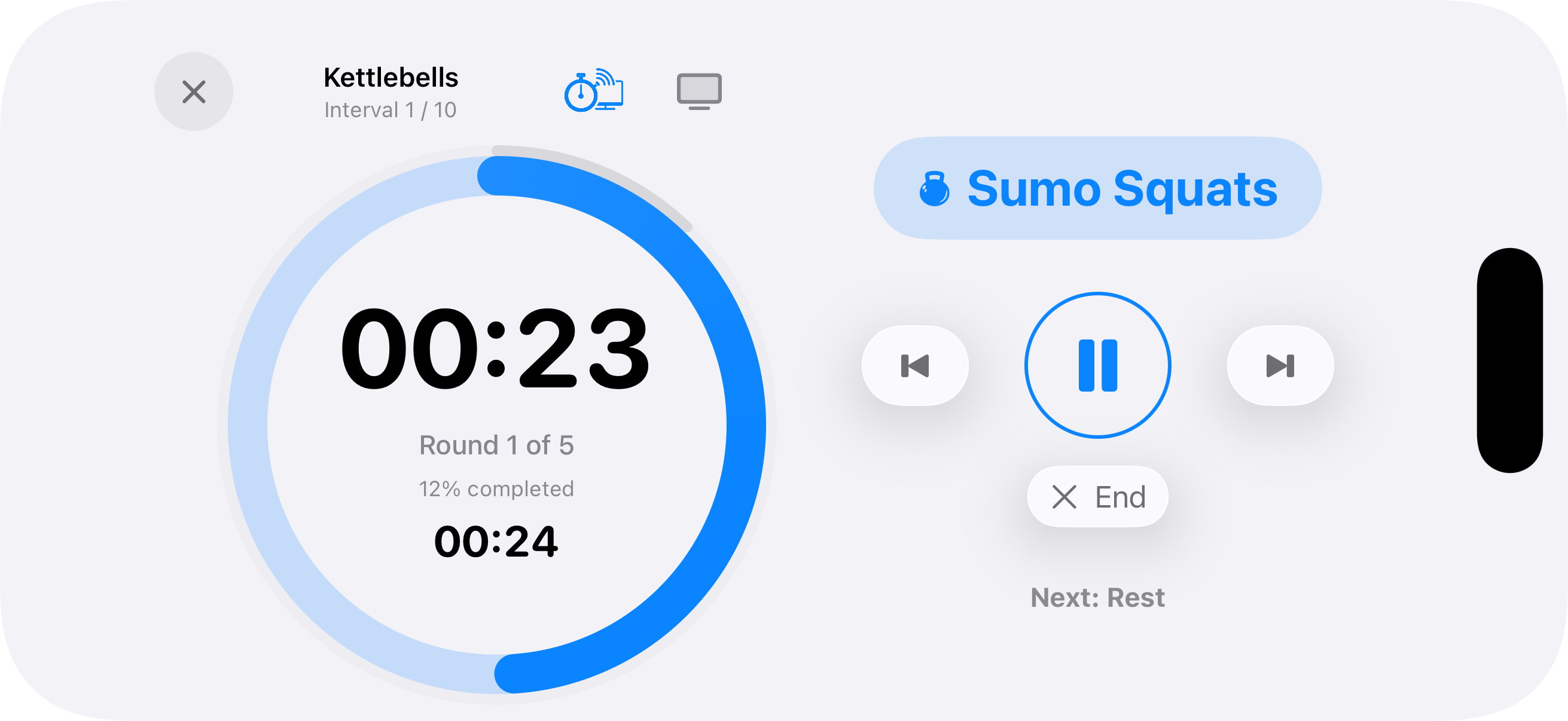
Optimized View: All timer controls and the preview of the next interval remain within easy reach.
Zoom Function: Tap on the current exercise name to maximize the text size.
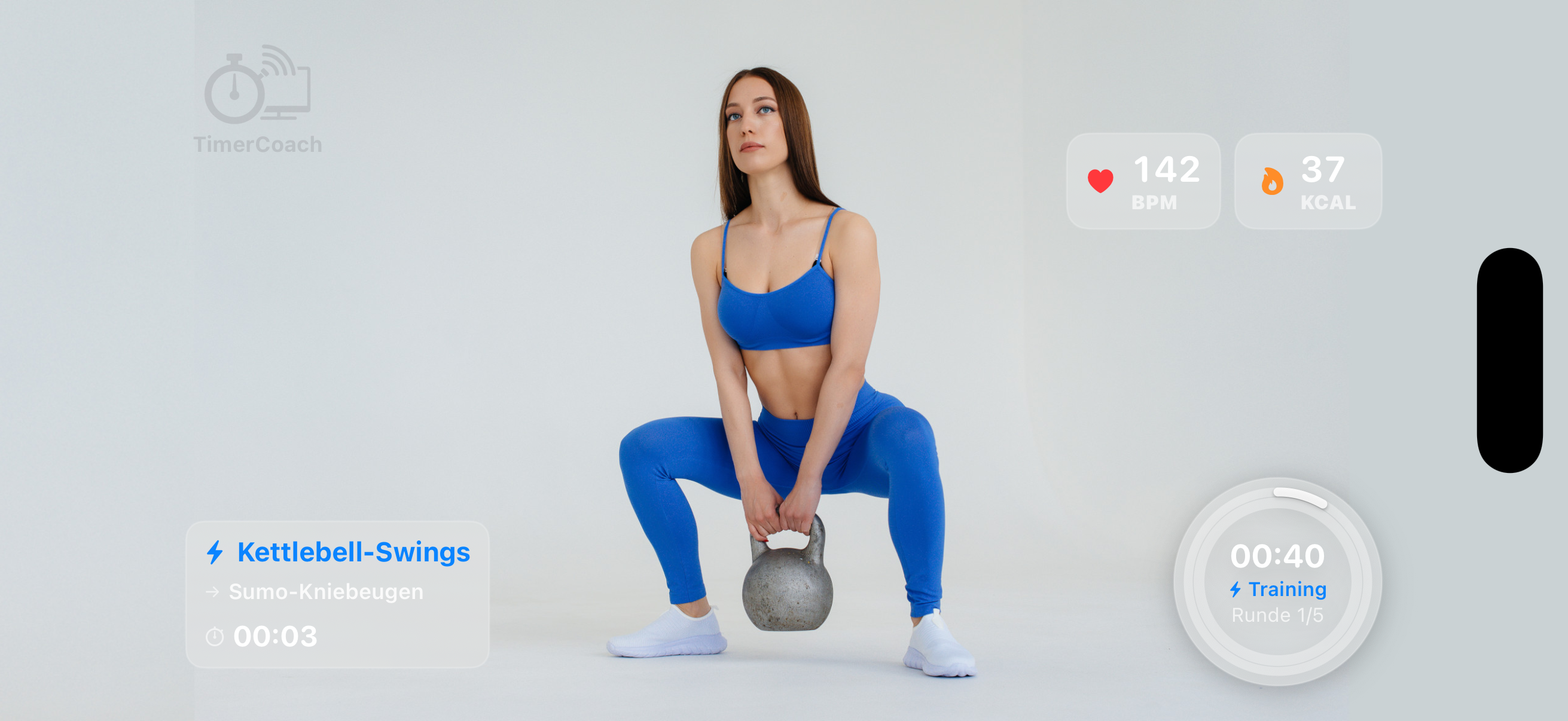
Monitor your exercise form using the camera mirror while keeping your timer visible. Version 2.0 introduces adjustable widget styles.
For those who want to focus on audio cues or save battery.
The timer continues running while locked. You still hear all phase cues and sounds.
A tap on the dark screen instantly shows the stopwatch, time remaining, and current exercise — without unlocking.
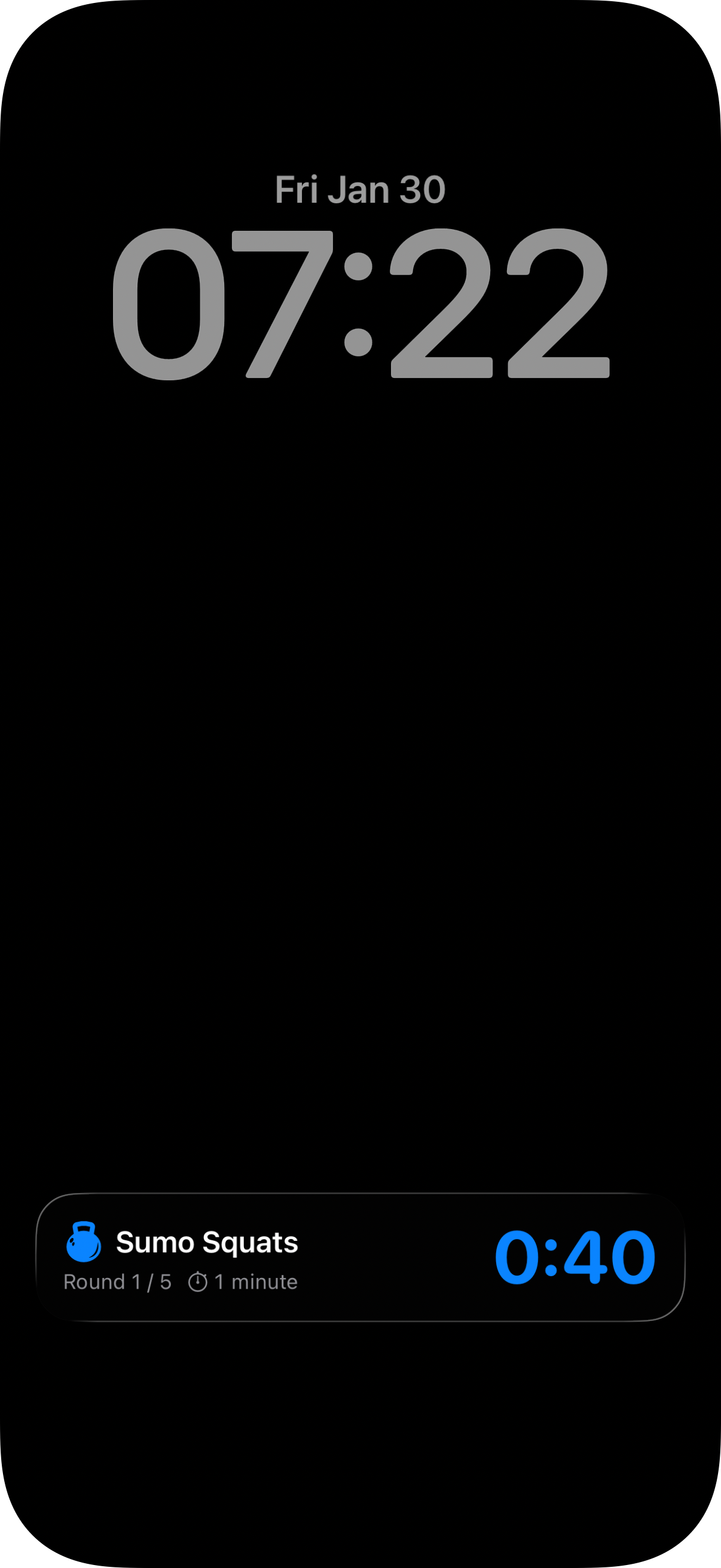
Keep track of your intervals directly from the Lock Screen or Dynamic Island. The timer runs reliably in the background, ensuring you never miss a phase change even when your phone is locked.
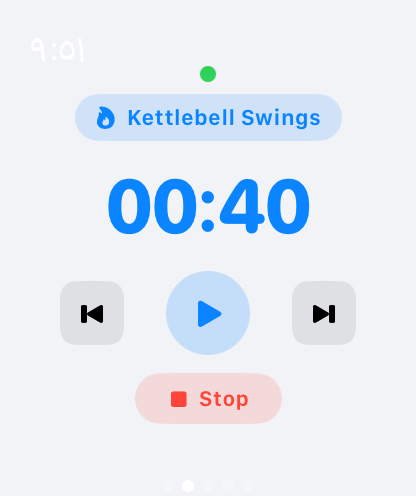
Browse and start workouts, follow each interval, and control your session from your wrist. Swipe between the workout library, live details, interval playlist, and controls.
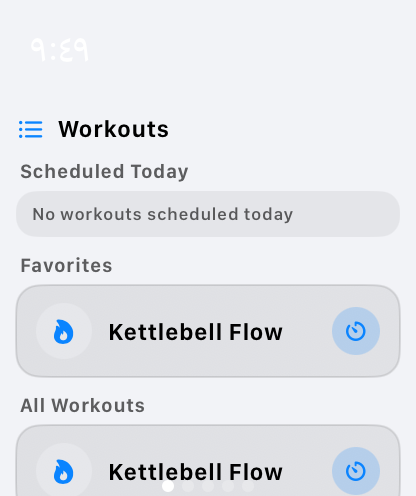
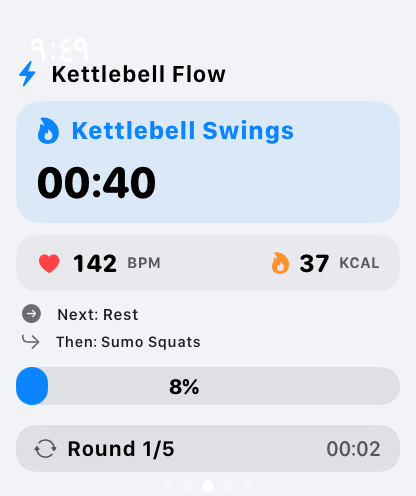
Open the Watch workout library to see workouts scheduled for today, your favorites, and all workouts. Select one to start directly from your Watch.
During a session, the details screen shows the current exercise and countdown, what comes next, the round, and overall progress. Swipe to the separate interval playlist to review the sequence.
Restart the current interval, play or pause, skip to the next interval, or stop the workout. TimerCoach also sends haptic taps at phase changes, so you can stay focused without watching the screen.
When a workout has an Apple Training activity type configured and HealthKit access and sensor data are available, heart rate and active calories can appear on both Apple Watch and iPhone.
Experience your workout on the big screen.
Keep track of your progress. The statistics page shows you exactly how much time you've invested.
Track total time, workout count, and current streak at a glance.
The pie chart visualizes your training mix. Assign categories (like Strength, Cardio, HIIT) and colors to your workouts to see where your focus lies.
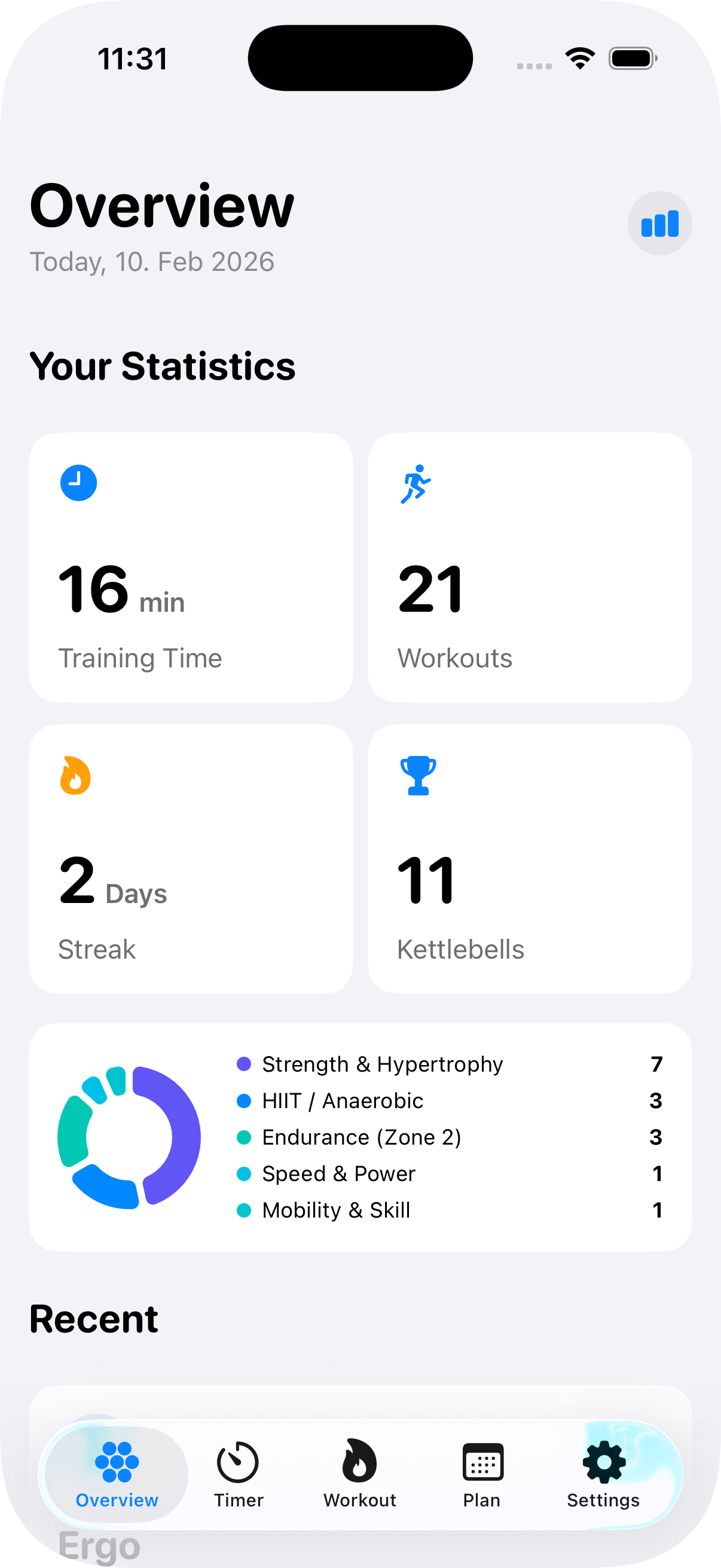
Get an overview of your training year. Tap the button in the top right of the Home Screen to access the overview.
The calendar view shows your training history. Dark blocks represent completed workouts. Orange blocks mark days with a 5-star workout ⭐.
Switch between weekly, monthly, and yearly views to analyze your training days, workout count, and total time.
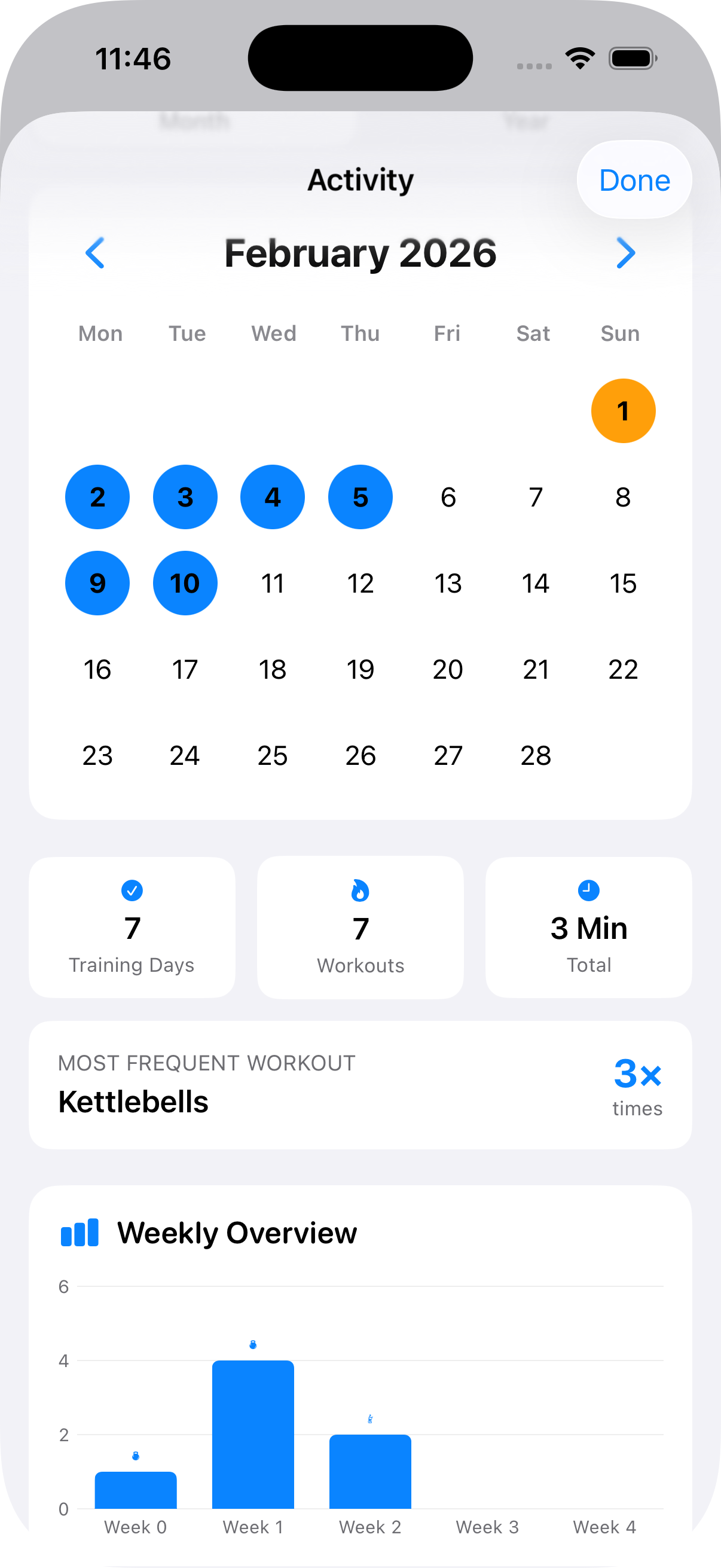
Monthly View
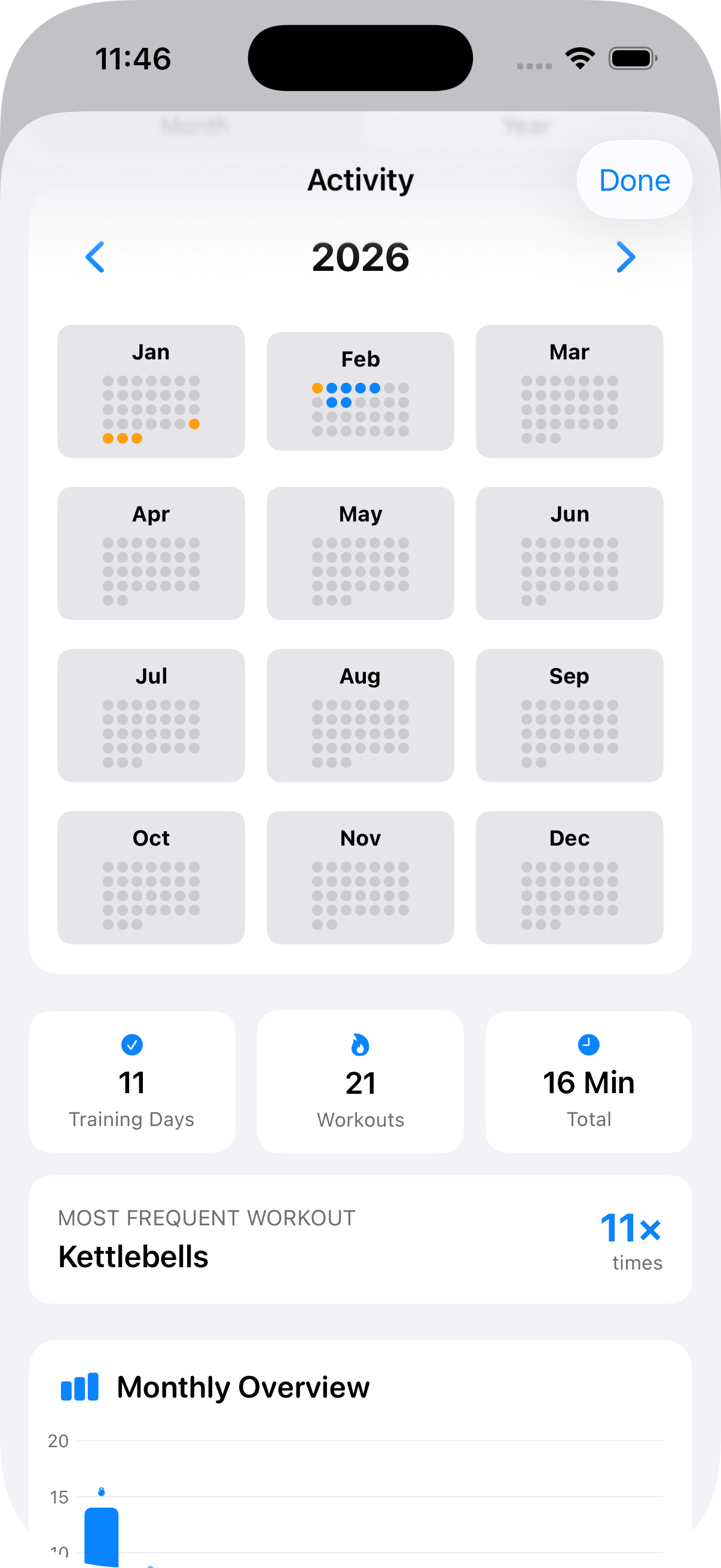
Yearly View